 DrogueriePersonal project · 2026
Bringing inspirations back at the right time
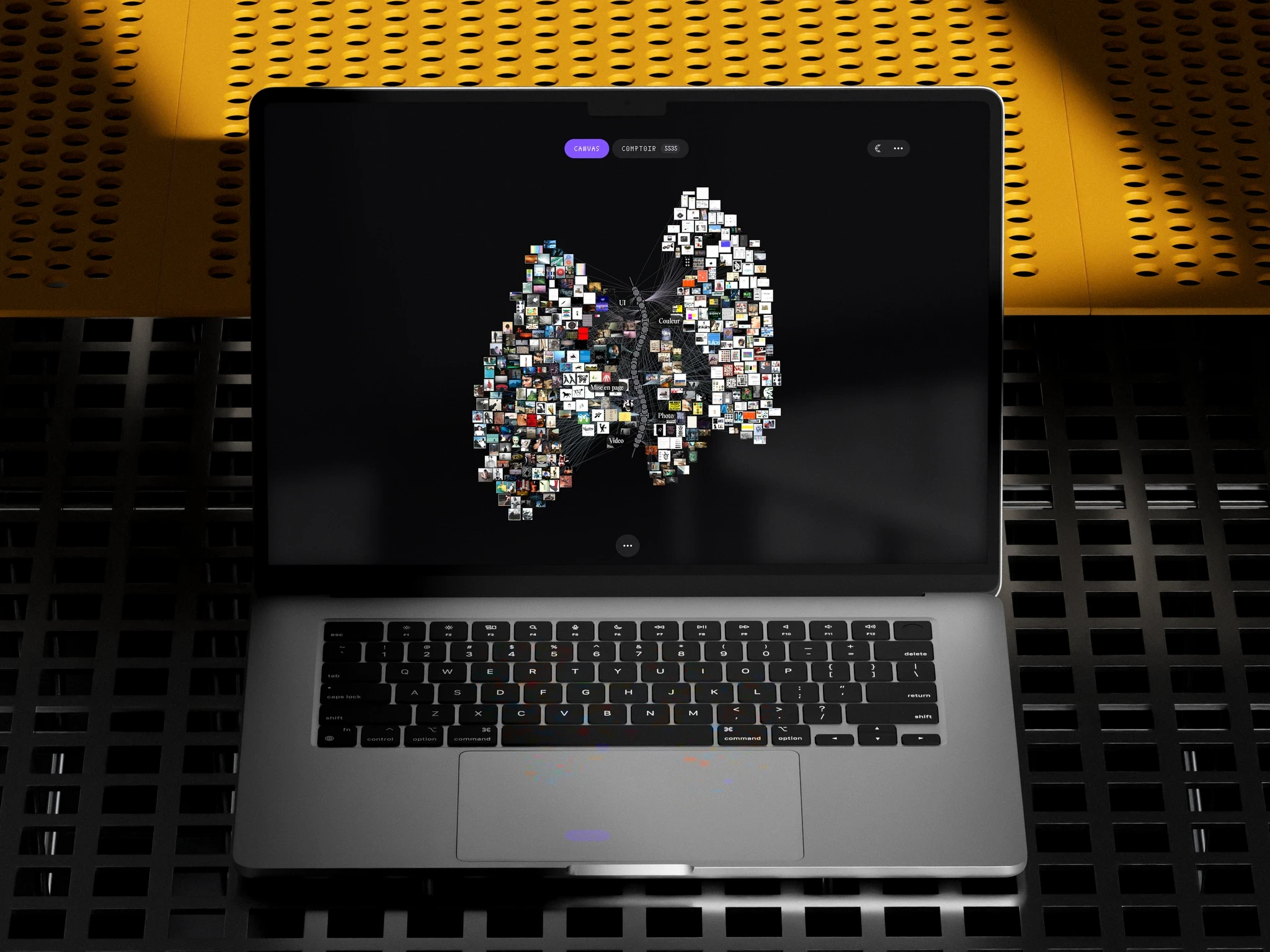
A canvas where inspirations are arranged around a spine, linked by threads, to bring them out at the start of a project.
- Deliverable
- local web app, inspiration boards
- Role
- product design, art direction, leading development
- My part
- One idea, one vertebra; one link, one thread
- Setting
- personal project, with no paid service, images: their authors
- Team
- solo, developed with Claude Code
Context
How do I turn a collection of images into material that feeds my projects?
Inspirations everywhere, linked nowhere
Inspirations scattered across Instagram, Pinterest, Are.na and screenshots. They needed to come together in a single tool, be easy to find again, link to one another and take new material without effort.
A mix of Pinterest for quick capture and Are.na for the links between ideas, designed as a giant worktable rather than one more grid. The first direction images came from the collection itself: an electrode cap and its cables, a spine studded with chrome, a knitted balaclava.
- Nothing goes onto the table without being sorted: everything goes through a counter first
- My own words, everywhere: a sample, an aisle, a thread, a delivery, the counter
- Smooth with 2,000 images
Exploration
I kept the image of a nervous system, and let go of its decoration
A nervous system, then less of one
- Cables that hang down like those of an electrode capBeautiful one by one, unreadable by the hundred: replaced by bundles that start from a shared point on each vertebraDropped
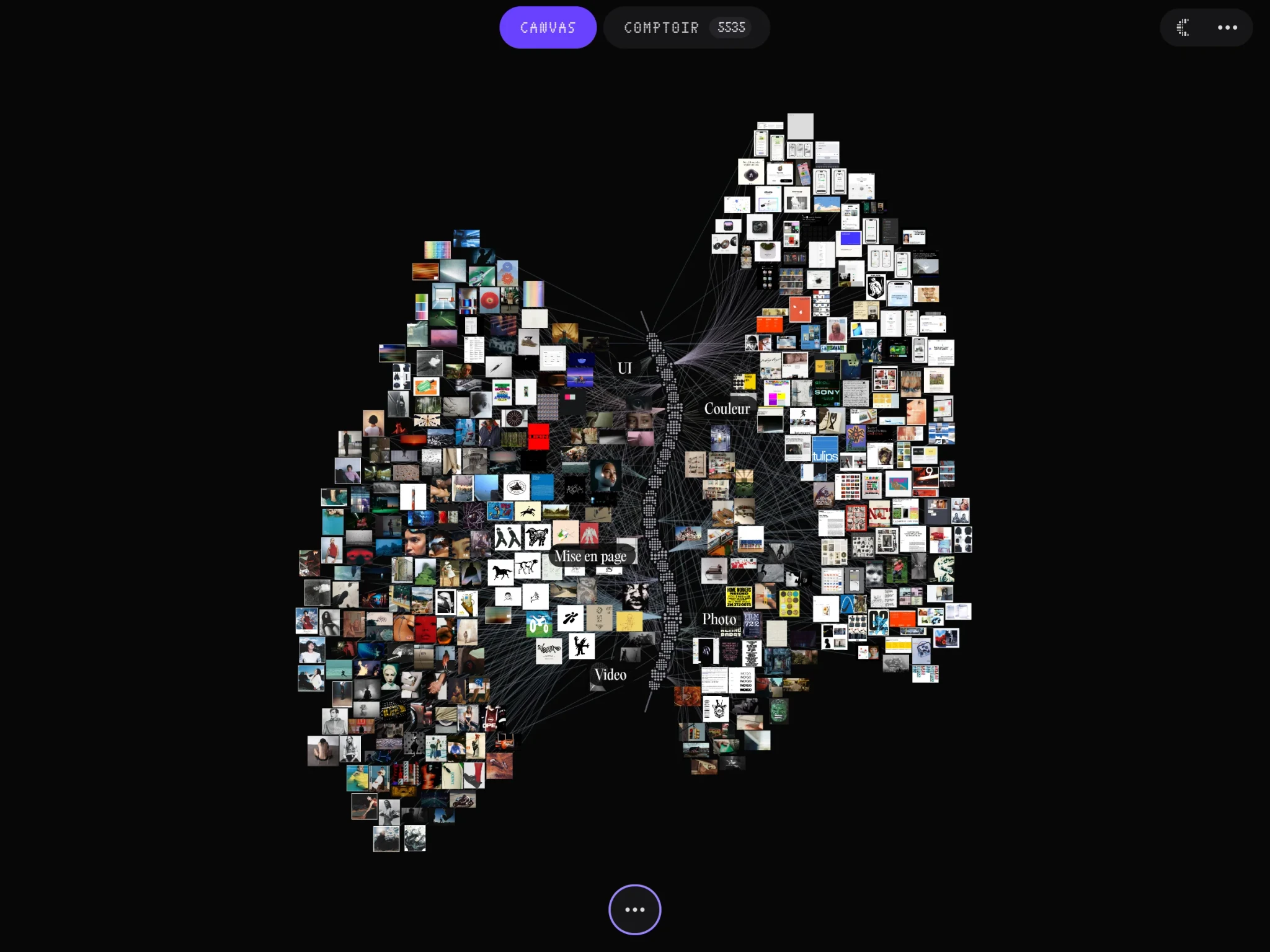
- A fan-shaped mass around the spineEach idea casts a crescent of images on either side of the spine: the silhouette reads from a distanceKept
- An instrument dashboardGraduated ruler, coordinates, mini-map, crosshair, counter: twelve details removed in one go, leaving only the images, the spine and a buttonDropped
- A spine you bend by handIts control points got in the way of the most frequent gesture, moving the view: the spine is now fixedDropped
- A photo opened full screen, outside the canvasReplaced by a loupe: the view dives into the image without leaving the canvas, its caption alongsideKept
- Sorting the whole counter, oldest firstThousands of images in line, often from the same channel: the list was discouraging, I had stopped sortingDropped
- A daily batch of 50, mixedChosen among five ways to track it (strip, board, dot circle, stalls): a simple counter in the tab, the mix does the restKept
- The counterEverything arrives here: you keep or discard, you link to your ideas.
- The canvasThe spine, the vertebrae and the mass of images packed around them.
- The loupeAn image up close, its neighbours, the ones that look like it.
Design
The canvas had to read as a silhouette from afar, and as a collection up close
From sorting to the board
Nothing gets in without going through the counter
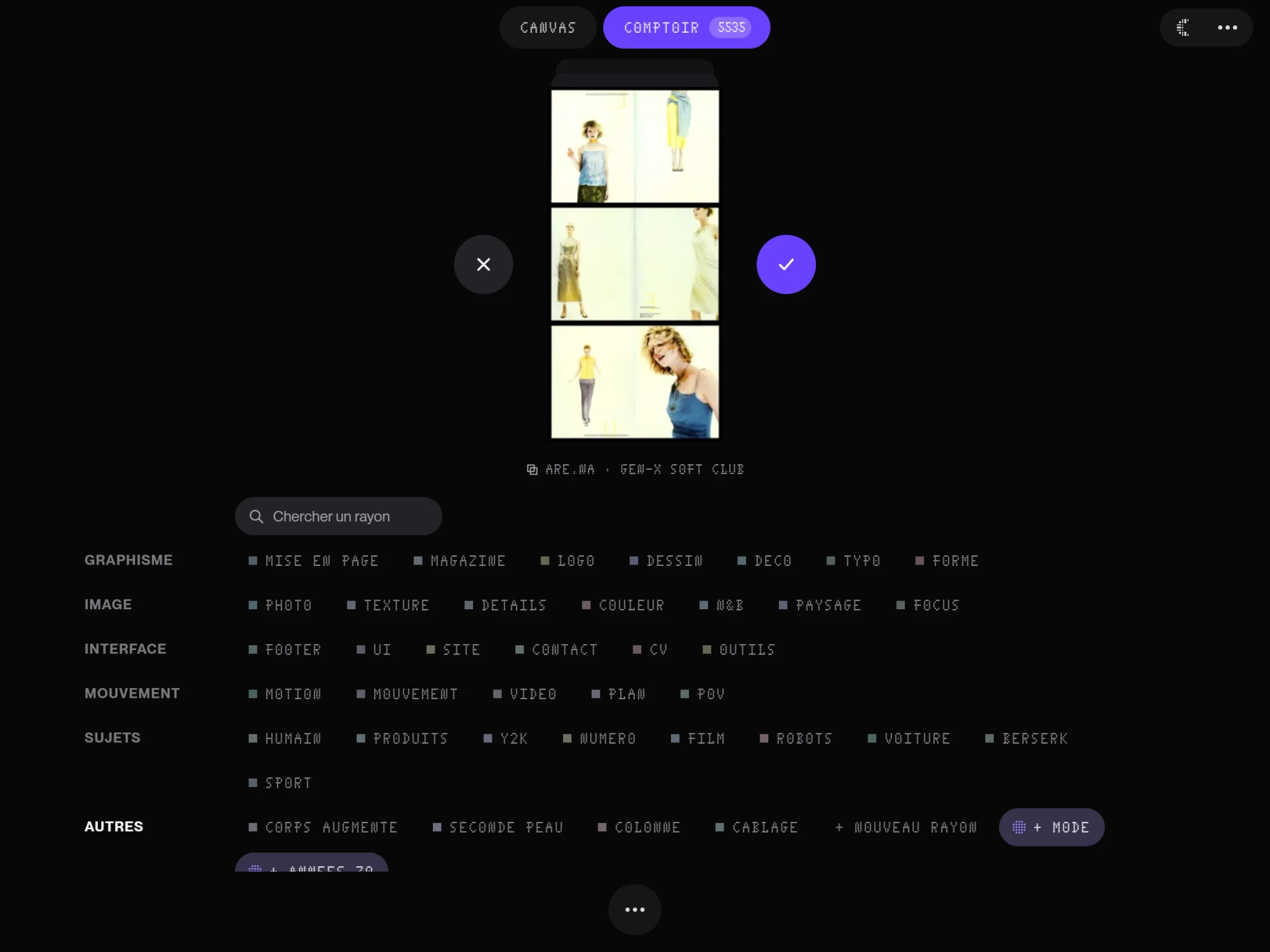 The bare tableThe image large, its ideas below, ✕ and ✓ on either side. I swipe it: right to keep, left to discard, up to keep with the suggested ideas, down for later.
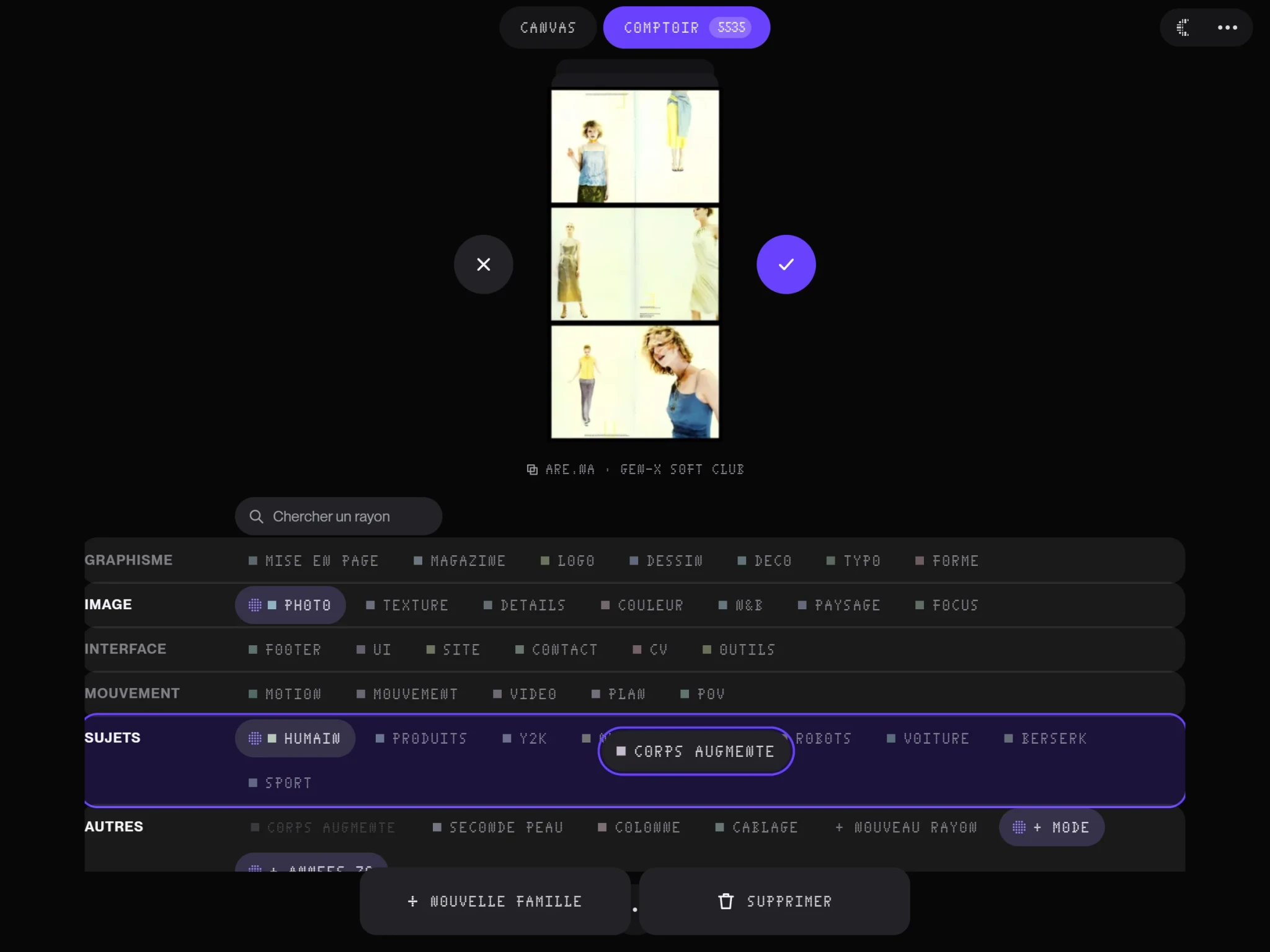 Filing ideasMy ideas are grouped into families. I grab one and drop it into the right family; “New family” and “Delete” appear at the bottom. Every move can be undone.
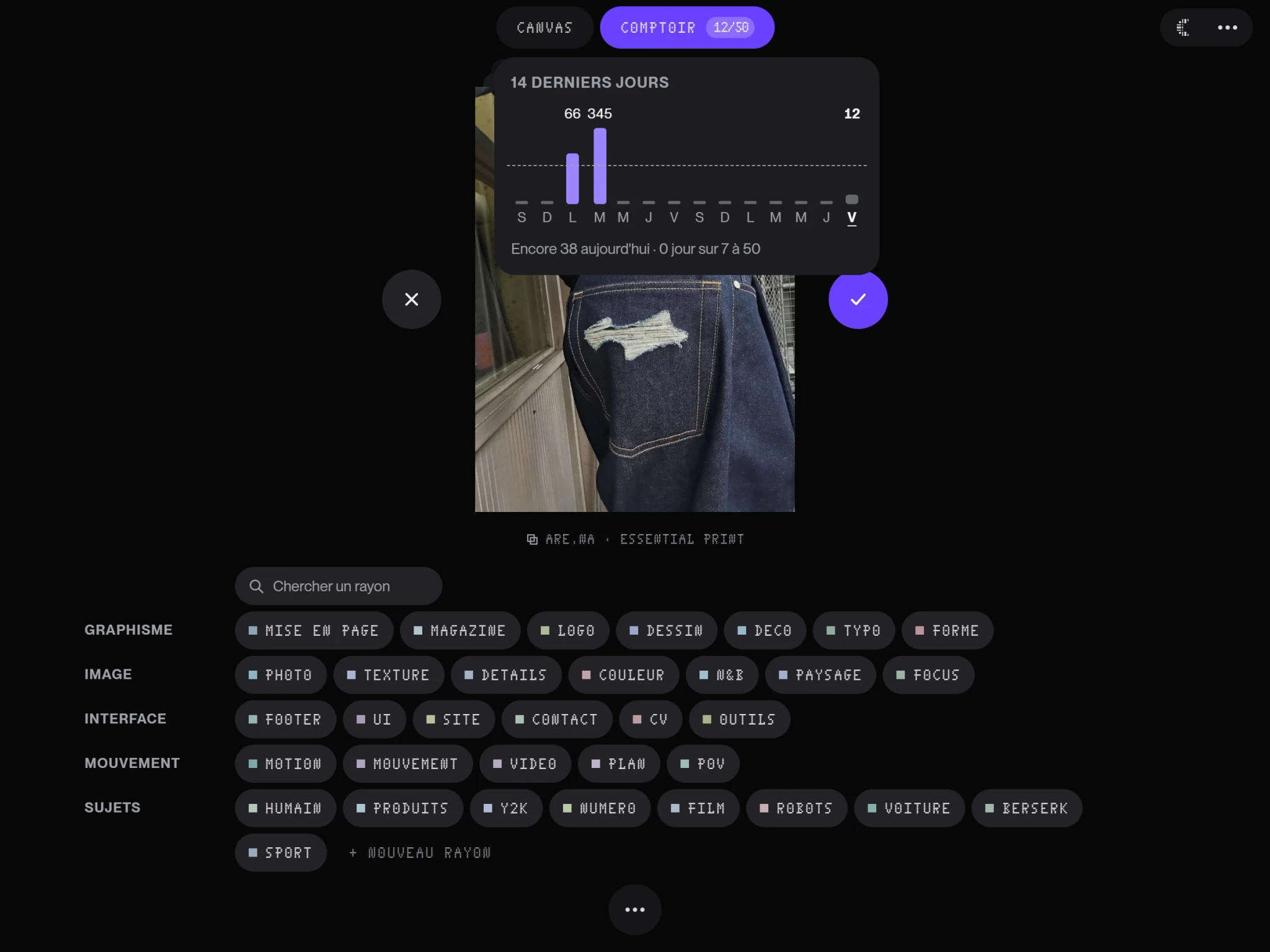 The daily batchThousands of inspirations were waiting: I had stopped sorting. Each day the counter serves 50, mixed across photos, sites and videos, and across their sources. The tab counts “12/50”; one click shows the last 14 days.
A nervous system for my ideas
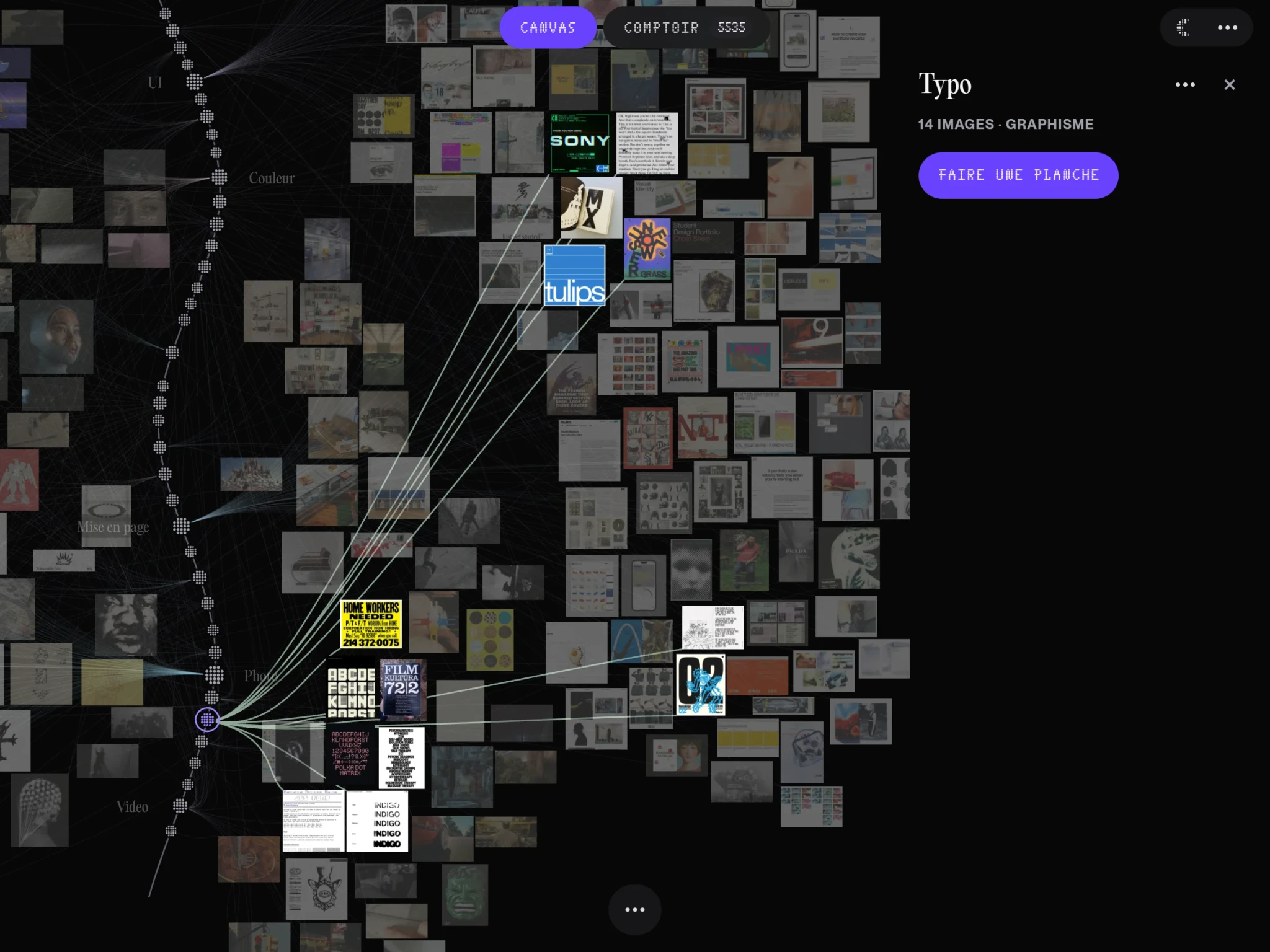
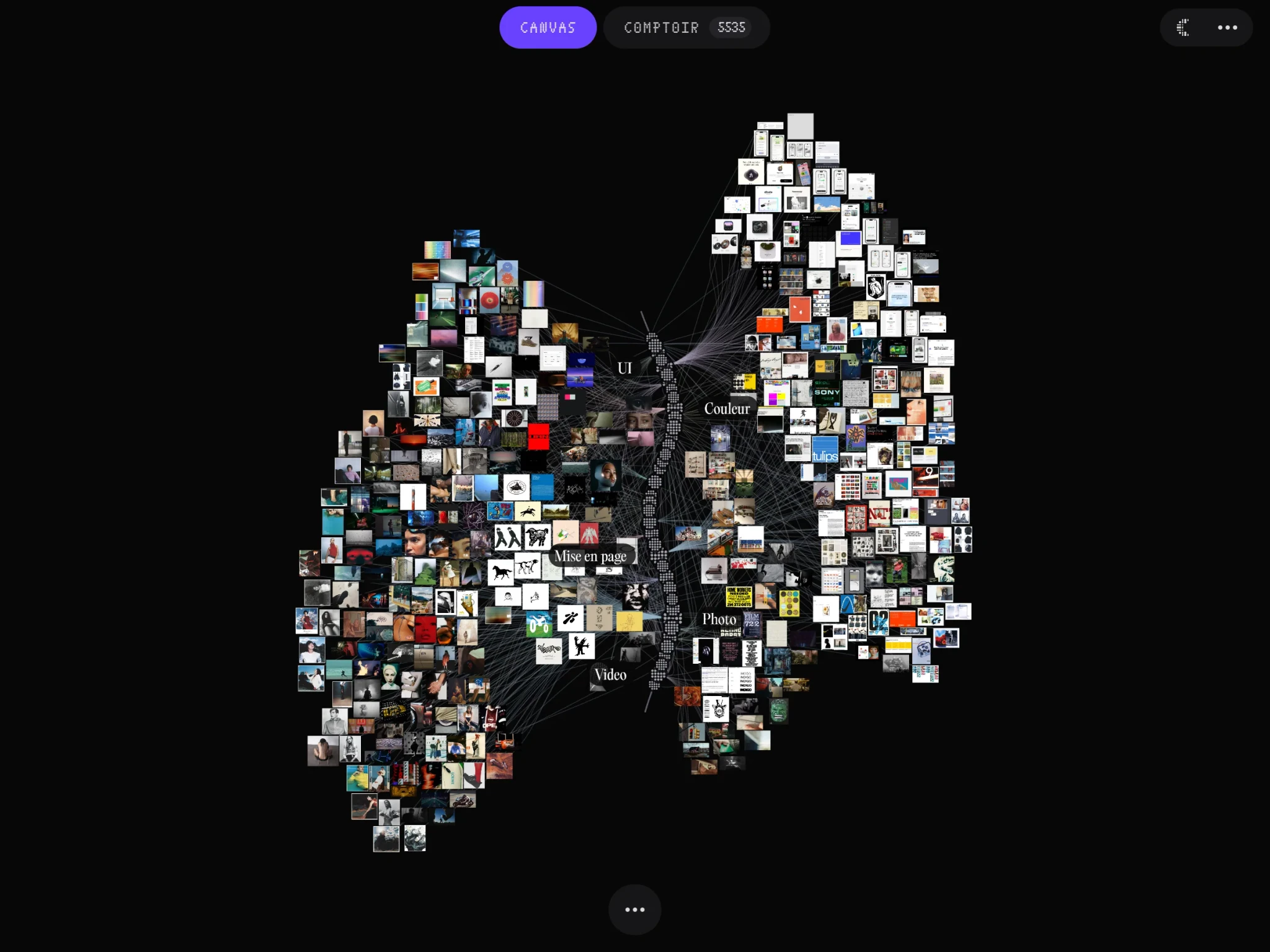 The massEach idea is a vertebra; its images pack into a fan around it, linked by threads. Shown here: my real collection, 380 images and 38 ideas.
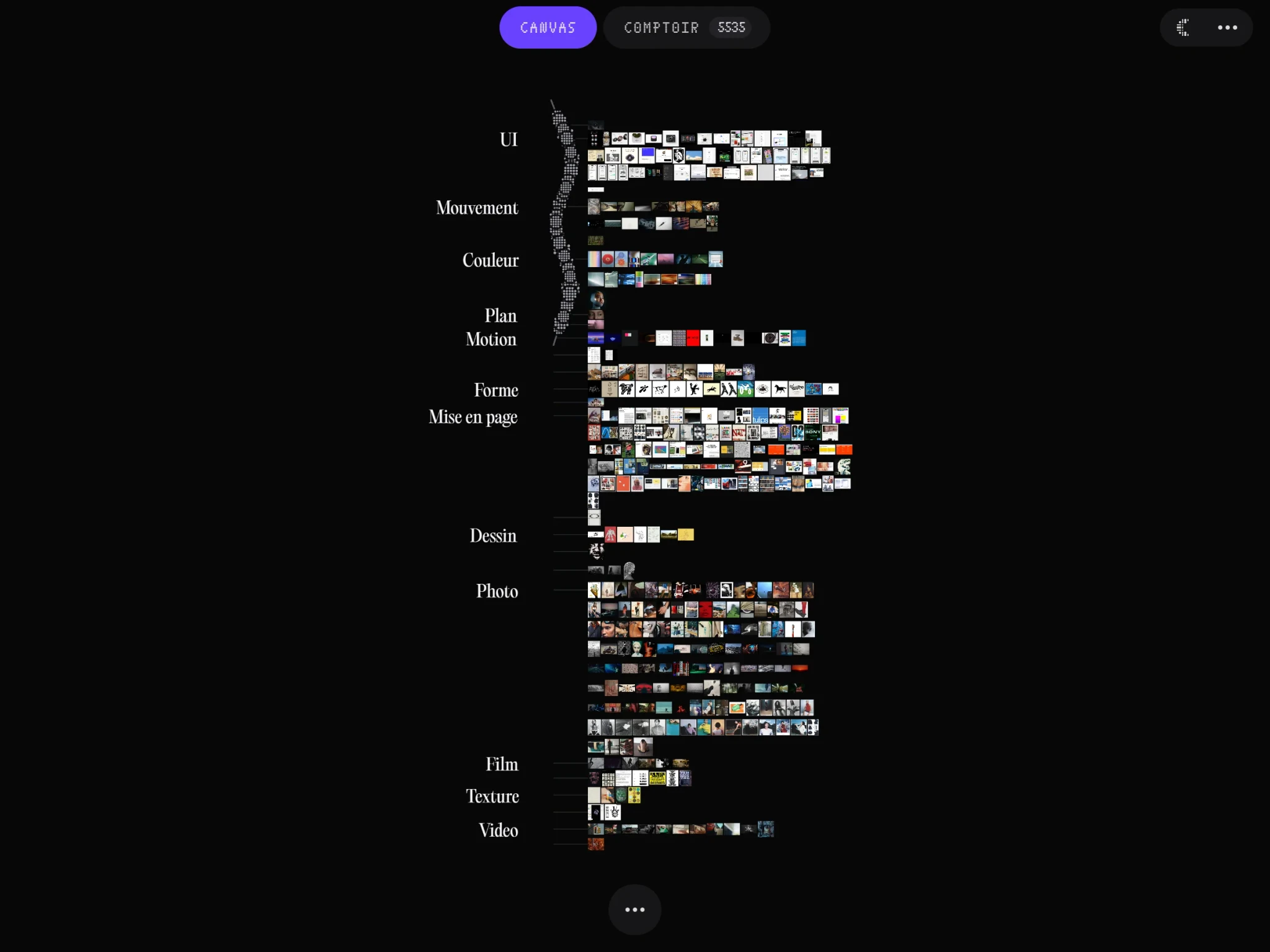 The contact sheetThe same collection laid out in rows, one per idea, each one named, to look through everything again.
The loupe and its caption
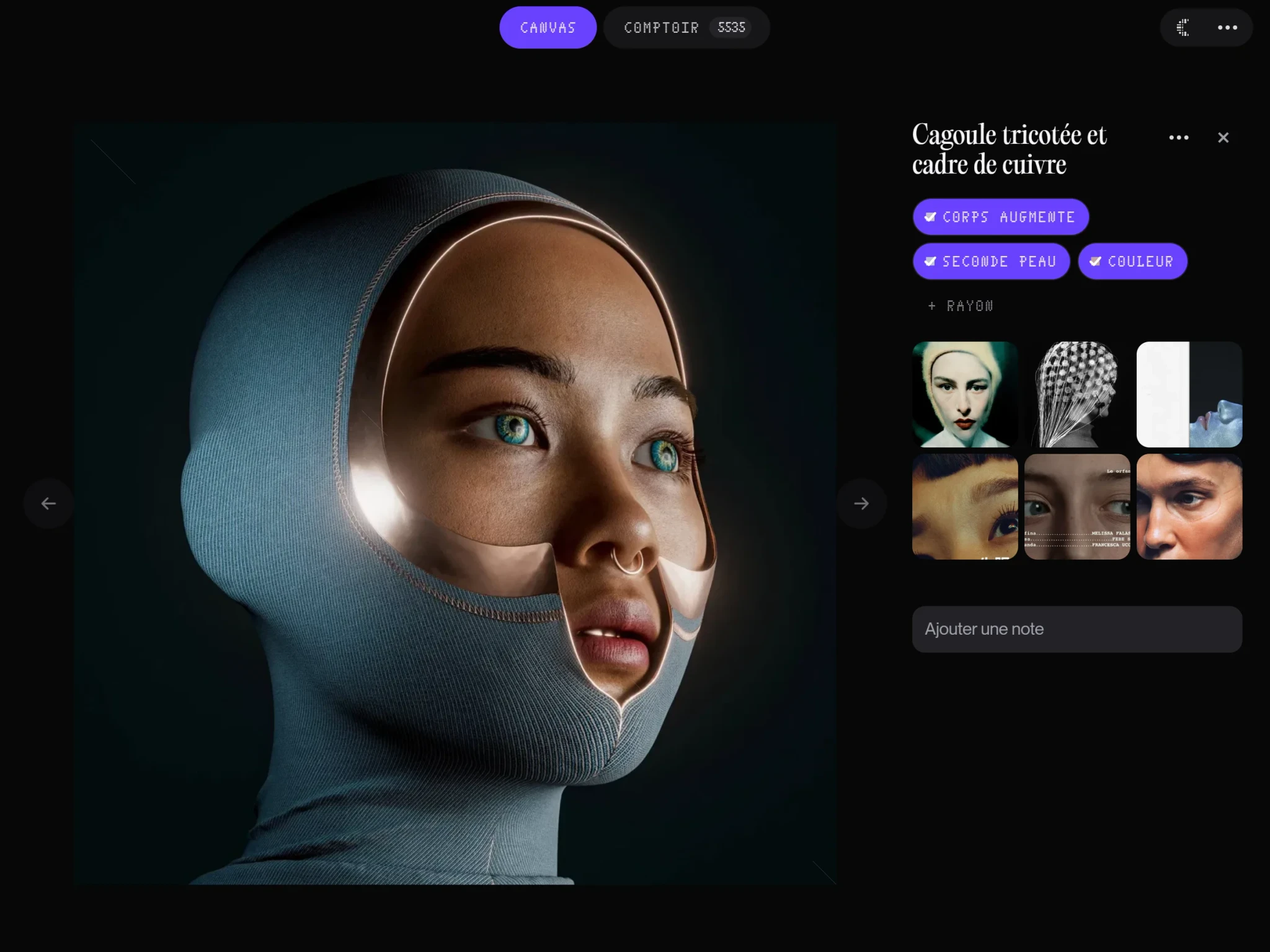 The loupeThe view dives into the image; alongside, its ideas, the images the small AI finds similar, a note. ← and → move to its neighbour.
Feeding a project
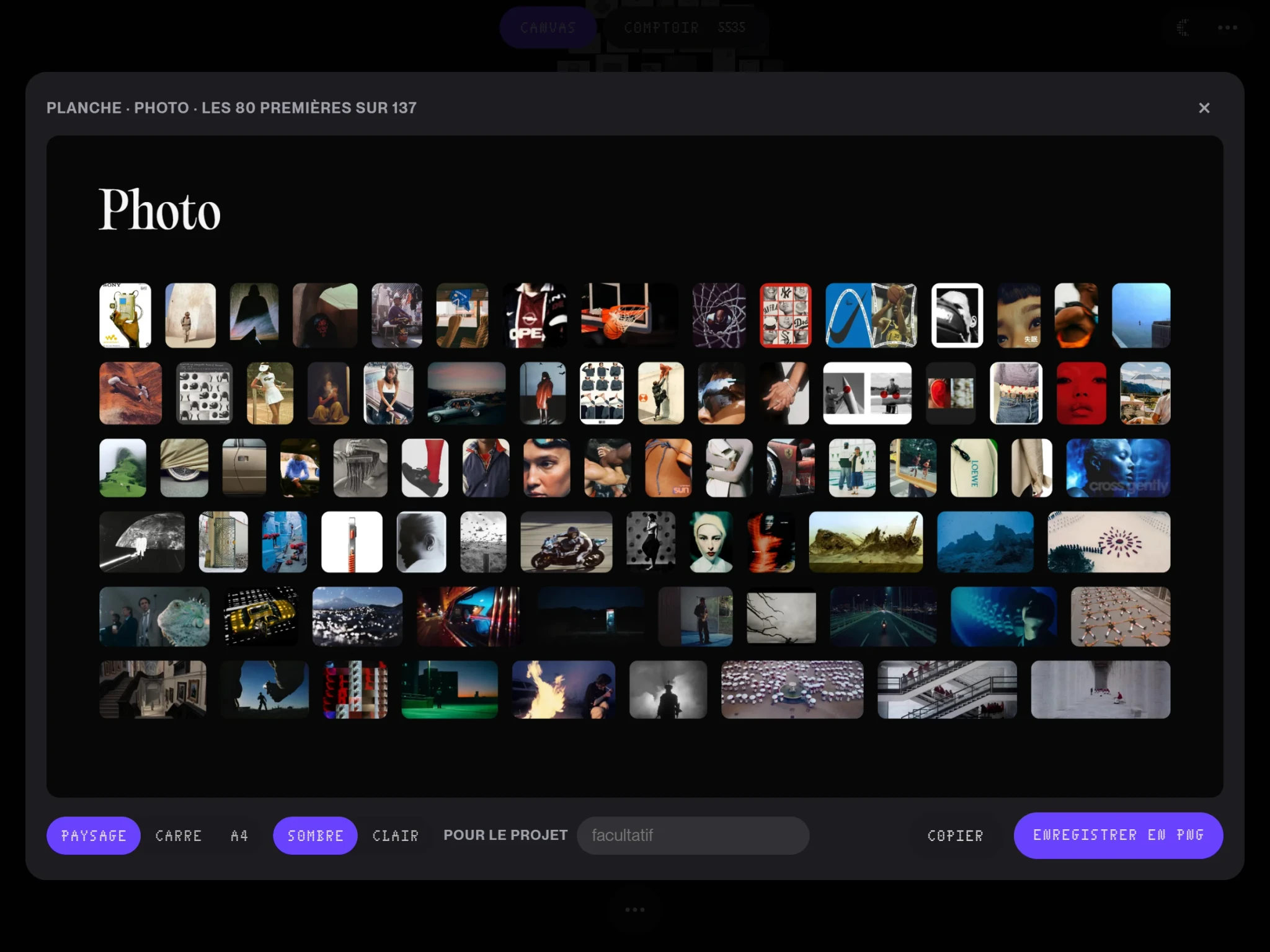 The boardThe images of an idea laid out as a wall, saved as an image or copied to paste into a presentation; each image remembers the project it fed.
One button, and movement
 The arc menuA single button; it spreads its icons in an arc, like the circle of dots of my design system. The targeted circle lights up and its name appears, by mouse or keyboard.
- 17Days, from brief to toolFrom 9 to 26 October 2026
- 20Motion choicesOne curve and one tempo for everything: opening a photo, changing page, sorting, choosing an idea.
Tests
Every fix came from real sorting, observed while using the tool
Sorting every day
Droguerie organises my inspirations every day. It has not yet been tested by other people.
- Every change looked at on screen before being kept, on my real collection
- A demo database of 2,000 images for smoothness
- Light theme and dark theme
- The whole journey by keyboard, and with “reduce animations”
- Every view checked at six screen sizes, from phone to 2560 px
- A passcode every time it openedFor a personal tool, it was unbearable: Droguerie now opens directly, on my PC.
- Too much text on the canvasThe idea names are gone, except the five largest: you recognise an idea by its position and its threads; its name appears on hover, and in the contact sheet.
- Labels to read everywhere“Aisles”, “Similar to”, the date, the colour: an image’s info panel now keeps only the image and what you do with it.
Retrospective
A personal tool earns its place through what you do with it, not what it shows
From a collection to material
I built a whole online ecosystem before knowing where I would use it
Accounts, sharing from the iPhone, imports, notifications: it all worked, but I organise my inspirations on my computer. I should have started from how I actually use it, then added the rest when I needed it.
- Bringing out a board for a real project, and noting what it changed
- Keeping up the daily batch of 50 for a month, and seeing whether the counter empties
Contact
martial-deleplanque@hotmail.fr