 RobotsPersonal project · 2026
Making the work of an AI readable
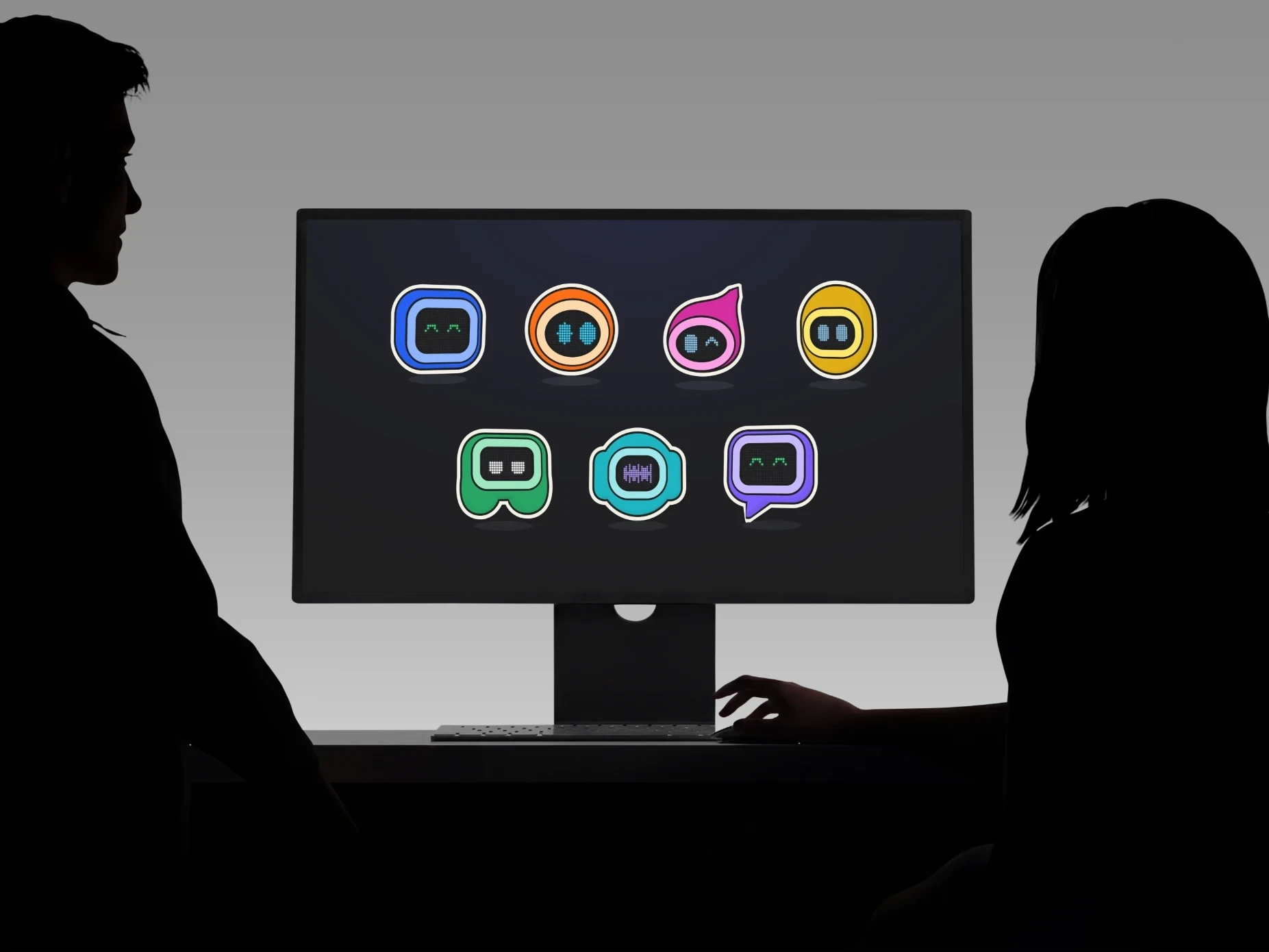
A Windows app that explains every action before you allow it. Seven robots show at a glance how the work is going, and the interface keeps only what matters.
- Role
- character design, product design, leading development
- My part
- The state rests on the gaze alone: eyes, never a mouth, and a simple word rather than a command
- Outcome
- Claude Code permissions are given from the island, without opening the terminal, opens with Windows, every day, since October 2026
- Team
- solo, developed with Claude Code
- Deliverable
- seven characters and their LED expressions, installed Windows app
- Setting
- personal project
Context
How do you make the work of an AI readable, with a character that fits at the top of the screen?
A companion for the AI, then the whole PC
With Claude Code, the AI chains actions in a terminal: reading files, running commands, asking for permission. For a designer, this flow is hard to follow. It needed a companion that follows what happens on the computer: the AI at work, but also apps, games, music and files.
- Claude Code sessions: every step, every question, every permission
- The app in the foreground, in the dock
- Games and heavy apps: the PC switches to high performance, nothing pops up over the game
- Music, dropped files, Discord messages
- In the morning: the weather, reminders, pending updates
- Never block Claude Code, and never allow an action without a click
- No telemetry: nothing leaves the PC for a service I have not chosen
Bit
code
A blue TV. It follows Claude Code and leads the other robots.
Design
I drew the seven heads by hand and wrote the brief; Claude Code offered me options and sketches, I chose, then it coded
Version after version, shaped by daily use
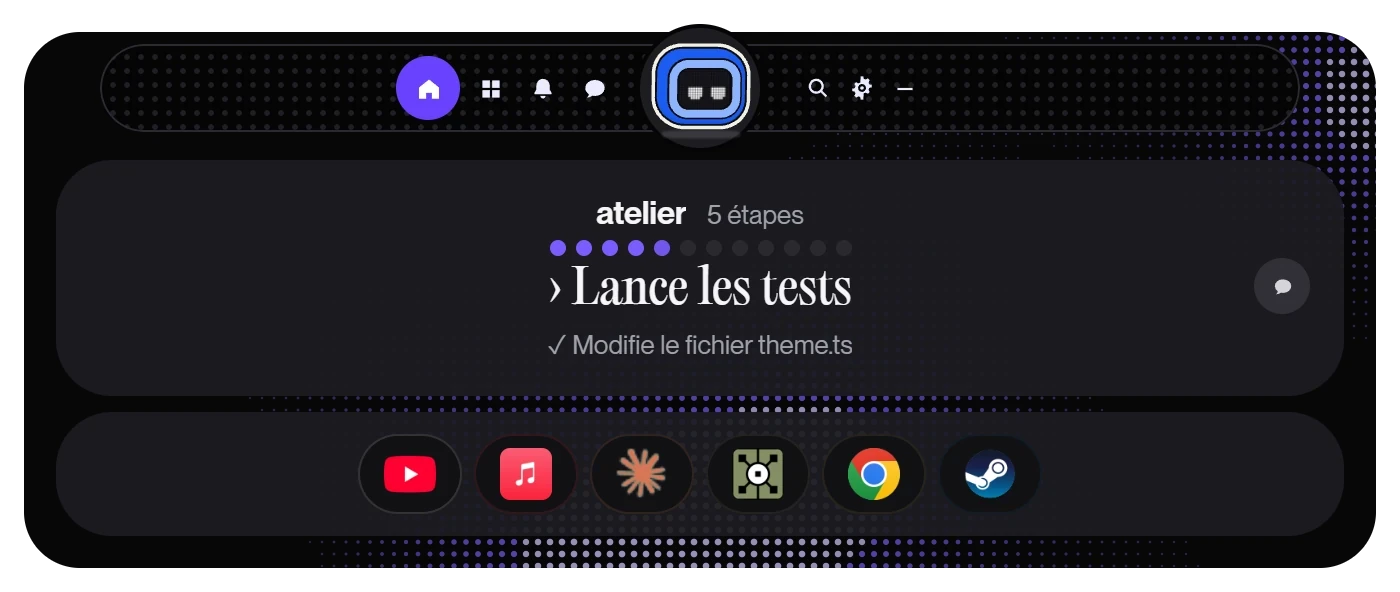
Saying what is happening, in simple words
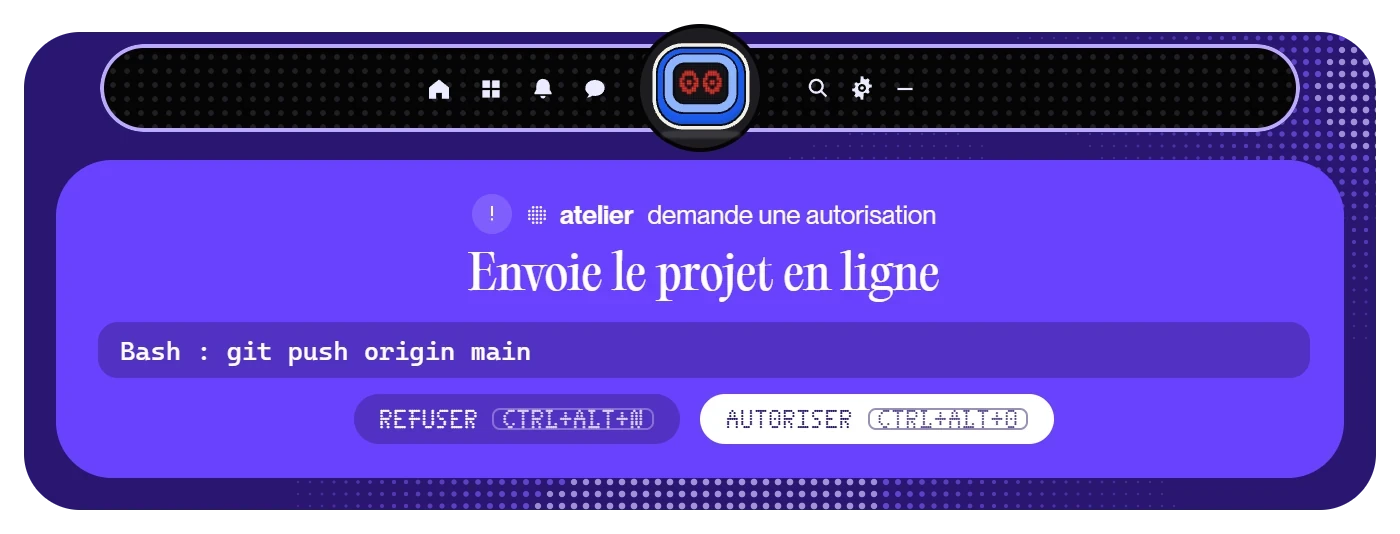 Allowing without the terminalWhat the action will do, as a title; the command below. Deny or Allow, with the mouse or the keyboard.
A strip floating at the top of the screen
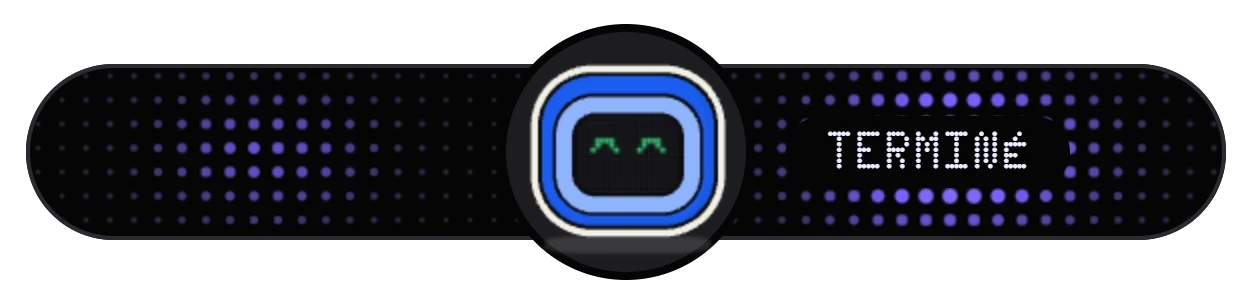 FoldedThe island used to be a shape stuck to the edge of the screen. It became a dotted strip that floats, the robot in the middle in its circle, and Claude’s word beside it.
Bit leads, the others work one at a time
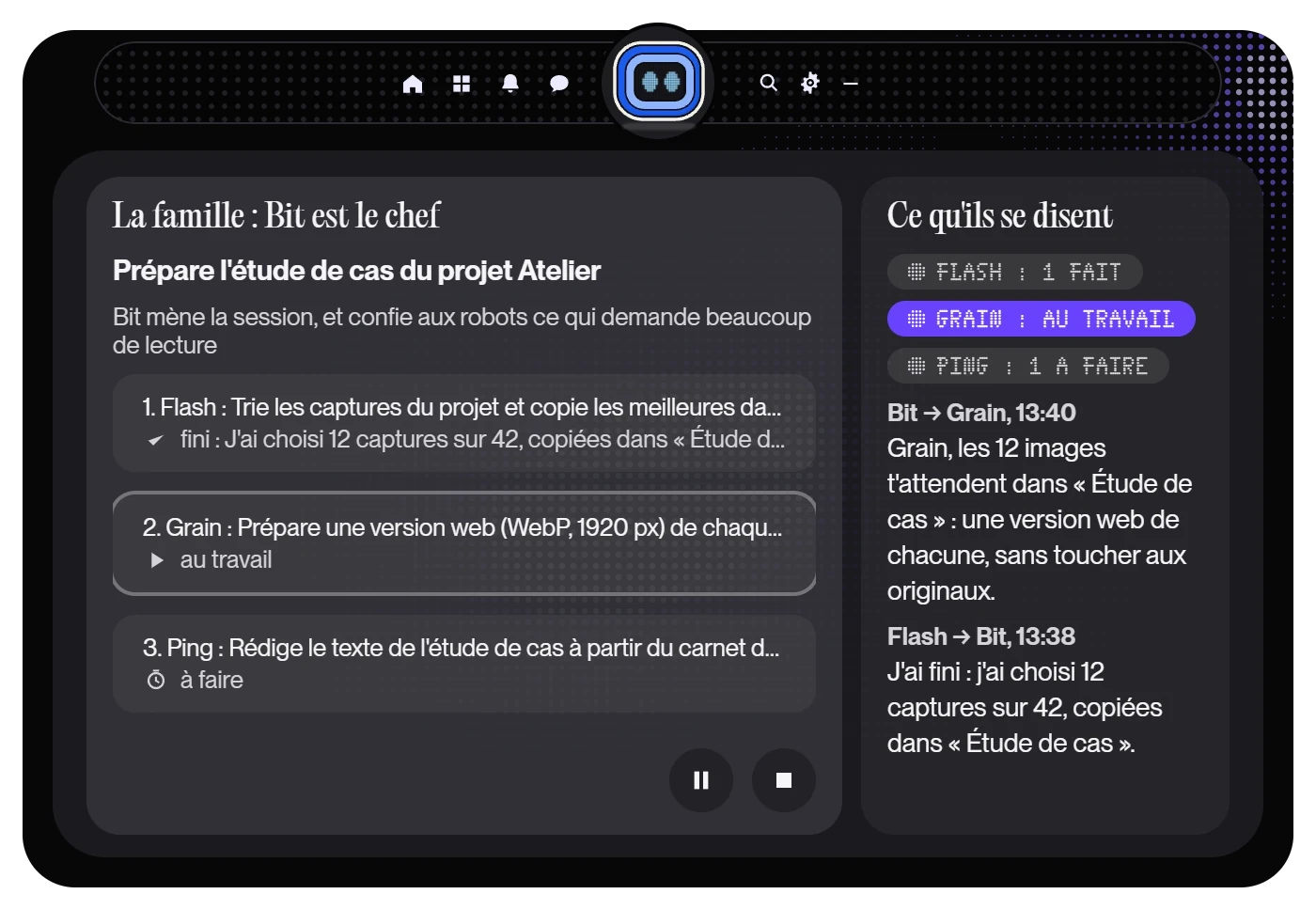 They talk to each otherA goal: Bit splits it into tasks for the right robots; nothing starts before I click. “Bit → Flash: your turn”, “Flash → Bit: I’m done”, in the island. When my subscription reaches its limit, the family pauses and resumes at the stated time.
A design file as the source of truth
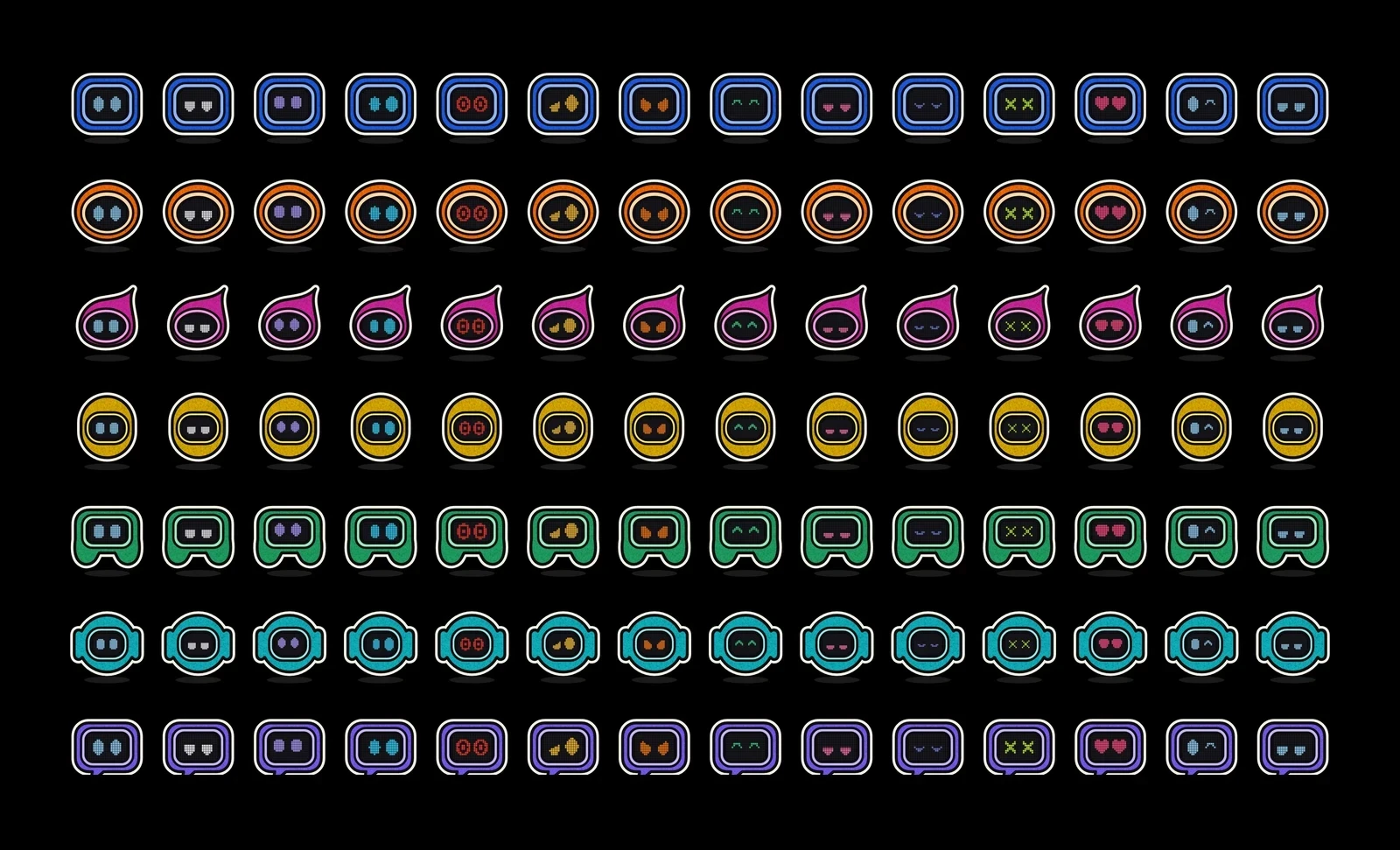 The briefShapes, colours, stroke weights and expressions described once, then used as they are by the app.
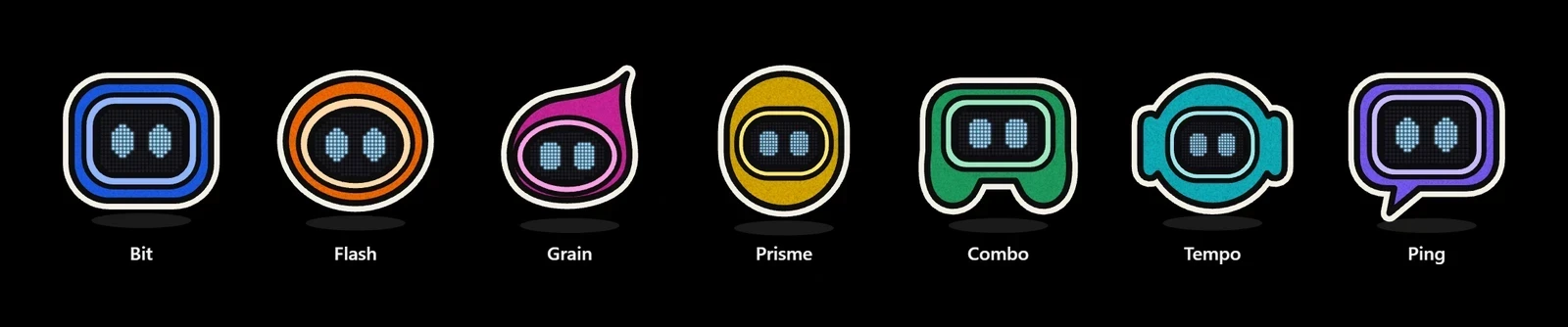 In 3DThe same shapes given volume, the LED screen intact.
The robot, then what matters right now
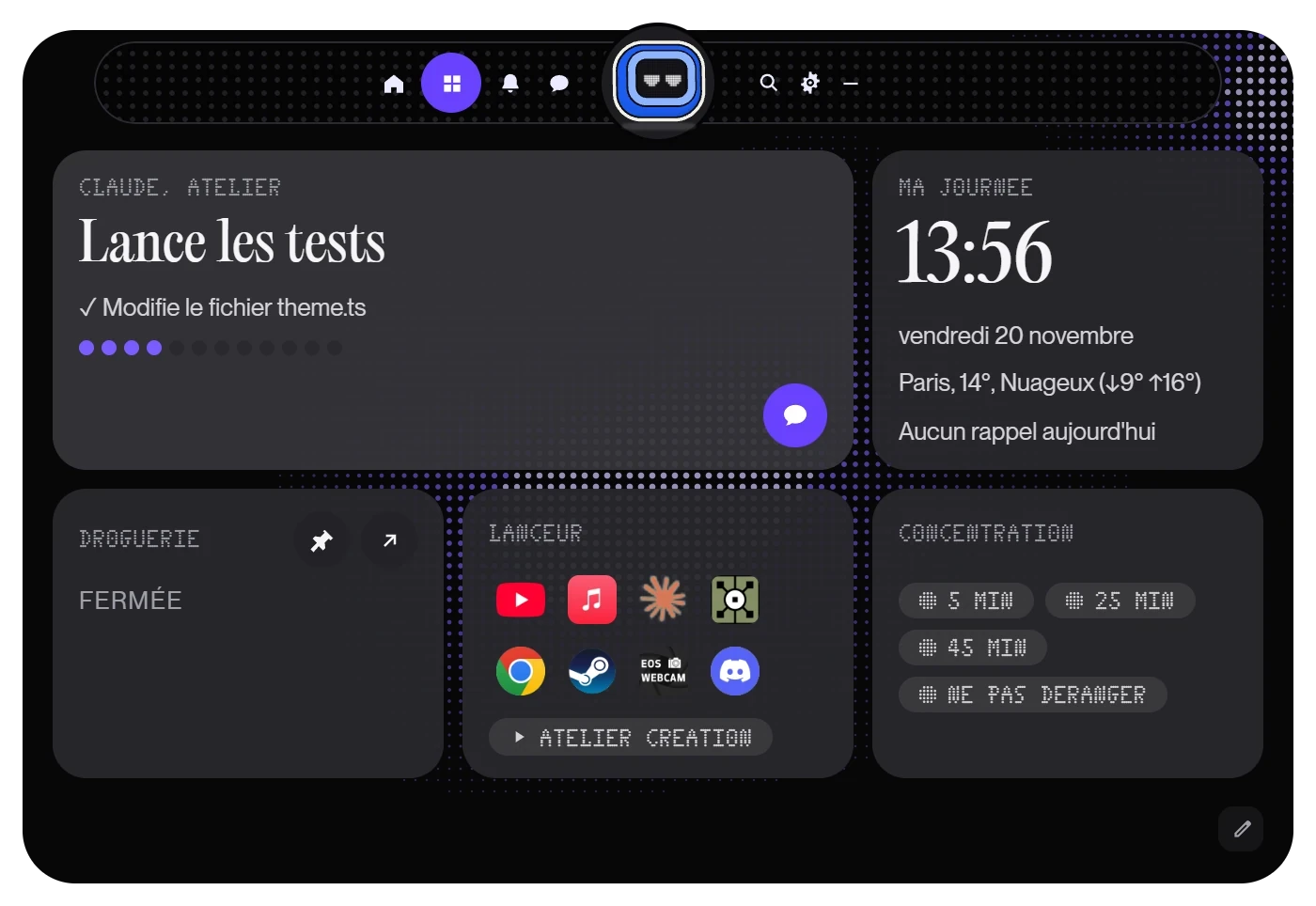 The bentoAfter the strips, cards of different sizes: what matters right now (the Claude session) large, the rest smaller around it.
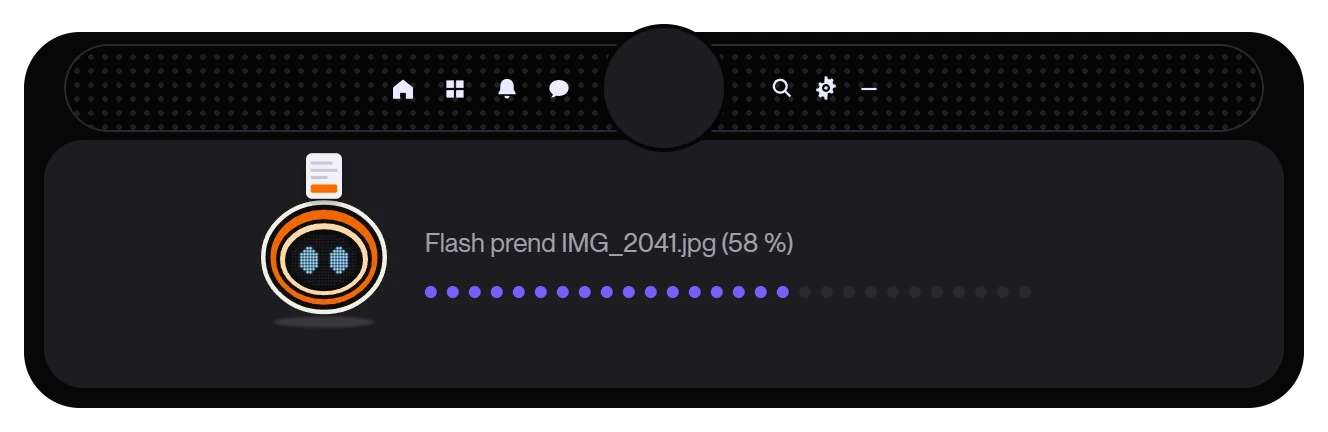 The right robot arrivesA photo dropped on the island: Flash comes up to take it. Tempo for a sound, Ping for a text.
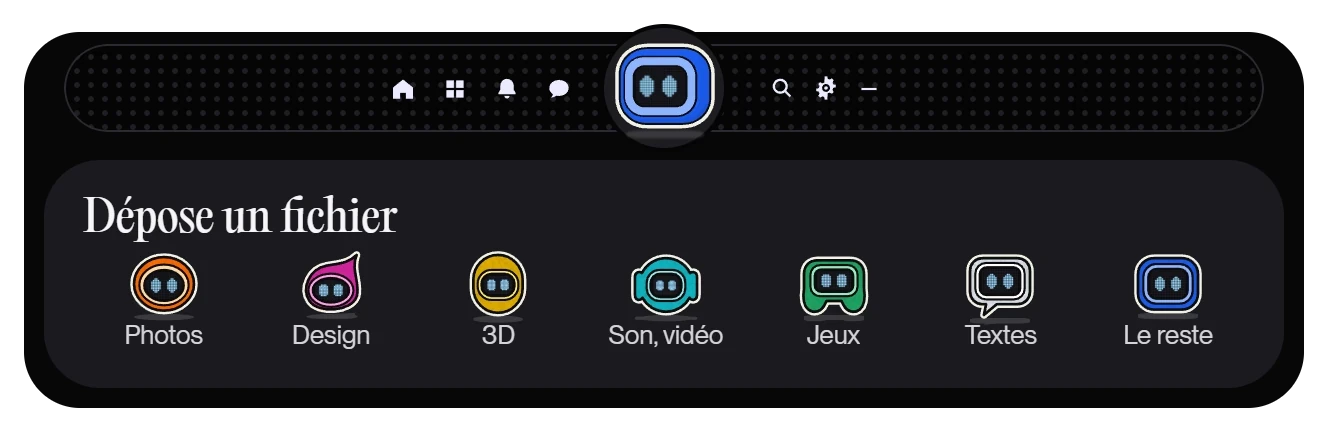 One robot per jobDrop introduces all seven. Each also has its own note, from Bit (low) to Ping (high).
- 126Versions in six weeksFrom 0.2.0 to 0.21.5, 7 October to 20 November 2026
- 5Directions triedFor the layout; the control strip was chosen, then replaced by the bento
- 5Hand styles testedThen removed: a head that jumps or tilts already said it all
- 0TelemetryThe only requests go to services I choose
Characters
Only eyes, never a mouth: the state comes from the eyes and the colour of the LEDs
Seven heads, one LED screen, no text needed
One robot per practice: the silhouette says who is working, the eyes say how things are going.
- 7Robots, one per practiceOne silhouette and one colour each
- 14Expressions on the LED screenNeutral, focused, thoughtful, delighted, alert…
- 6PictogramsListening, import, loading, question…
- 3Effects, no moreSticker outline, ground shadow, grain on the helmet
 14 expressions on the LED screenNeutral, focused, thoughtful, delighted, alert…
- The robots in volume, in real 3DMy shapes extruded, the LED screen intactKept
- Mechanical hands for their gesturesTested in five styles, then removed: the head jumping or tilting already said it allDropped
- Skins designed as new charactersToile, the first one: its own eyes, which come aliveKept
- The dock in four directionsSegments at first; today a dotted strip like the island, with the gestures of the Windows taskbarKept
The essentials
Removing a button means deciding where the feature lives once it has none
Six weeks of adding, then sorting
Every annoyance became a feature, and every feature a button. For the latest versions, I did the opposite: keep only what I actually open.
The same scene, before and after
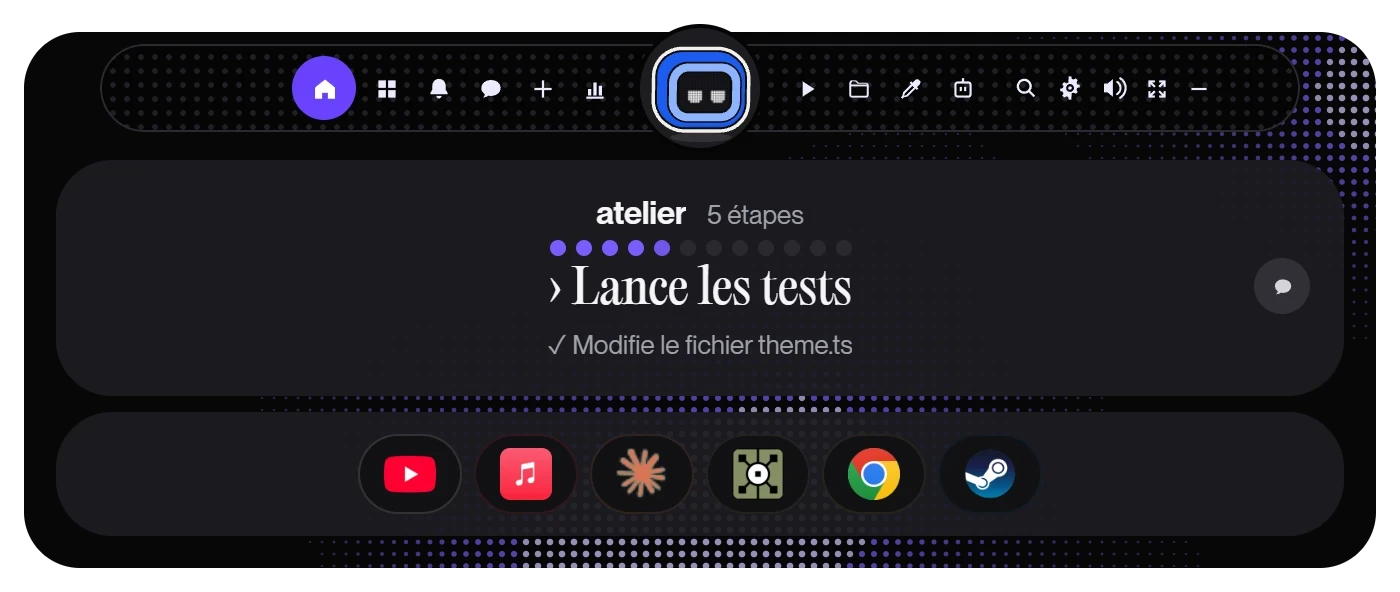 Before: 15 buttonsTen tabs around the robot, then Search, Settings, sound, size and Fold.
- After: 8 buttonsHome, Dashboard, Notifications, Ask, music while it plays, then Search, Settings and Fold.
- 7Fewer buttons in the headerDrop, My day, Projects, Copies and My robots open from search; sound and size are in Settings
- 5Items removed from the dockWindows already has shortcuts for them: Win+Tab, Win+D…
- 3Buttons at most per viewIcon circles; only Deny and Allow keep their text
- 0Dividing linesWhat forms a group sits on a slightly lighter surface
One field fewer, a shorter turn
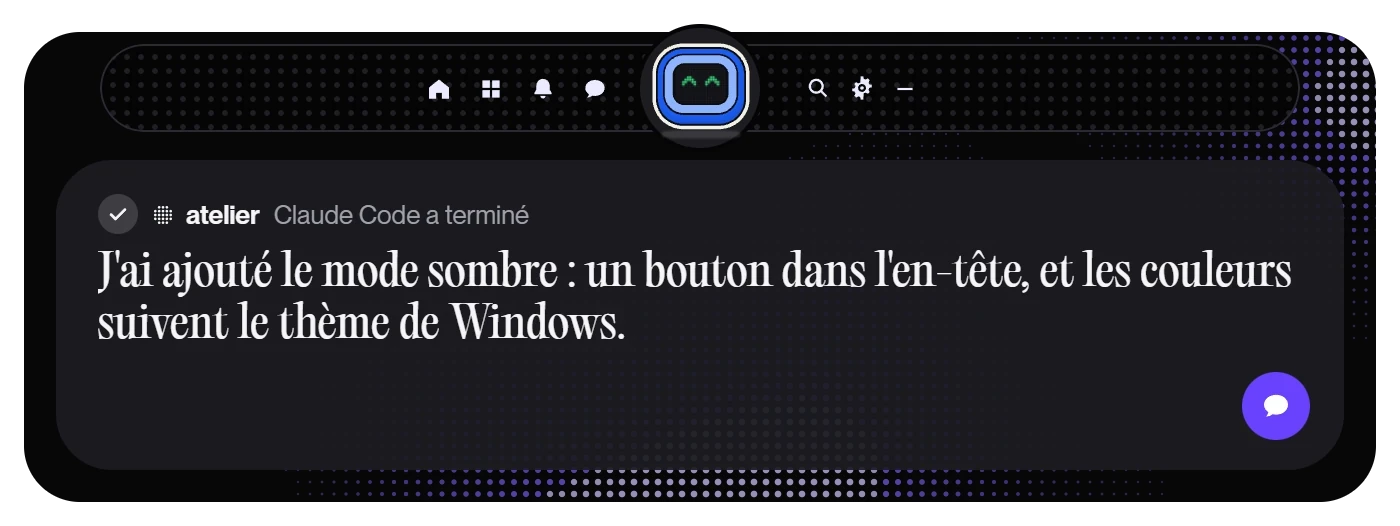 Claude is doneThe island kept a reply field at the end of each turn, and Claude waited for it. It is gone: the card opens on its own and says what was done.
Tests
The first test was my own daily use
The first user is me
Robots runs on my PC every day. It has not yet been tested by other people.
- Claude Code permissions and questions answered from the island
- Game mode with EA FC 27: nothing pops up over the game, the island moves to the other screen
- Performance mode triggered by TouchDesigner, then everything put back as it was
- Starts with Windows, and uses less than 0.2% of the processor at idle
- The € sign blockedA Robots shortcut took over AltGr+E on my French keyboard: it moved to another key.
- The dock stuck on screenBrought up just before a game or a full-screen video, it no longer hid. Now it hides, and comes back when the mouse goes down.
- The island in my screenshotsThe island and the dock showed up in my screenshots and screen shares. I still see them; screenshots don’t.
- Conversations grown too heavyA long conversation with Claude ended up costing a lot on every message. Robots warns me, and Claude writes a summary to carry on in a new one.
- The installer is not signed yet: Windows shows a warning
- The robot family has not yet carried a long goal through from start to finish
Retrospective
Living with the tool every day taught me to add fast, then to sort
What six weeks of daily use taught me
I should have asked sooner where each feature lives
Every tab I removed had to find another door: search, Settings, a Windows shortcut. Asked from the very first feature, that question would have spared me many buttons.
- A test with three people who use Claude Code
- A week noting what I actually open, before adding anything
- A signed installer, then sharing the app
Contact
martial-deleplanque@hotmail.fr